Introduction
If you’ve ever searched for “easy video editing software,” you’ve almost certainly come across Filmora. Developed by Wondershare, Filmora has become a household name for aspiring YouTubers, social media creators, and anyone who wants to make their videos look professional without a steep learning curve.
But with so many options available, is Filmora the right choice for you? Or are you better off with a free program or a more advanced alternative?
In this comprehensive Filmora review, we’re going to cut through the marketing and give you a straightforward look at its features, pricing, strengths, and weaknesses. By the end of this article, you’ll know exactly whether Filmora deserves a spot on your computer.
What is Filmora?
At its core, Filmora is a freemium video editing application designed for simplicity and speed. It bridges the gap between basic, limited editors like Windows Movie Maker (discontinued) and complex, professional-grade suites like Adobe Premiere Pro.
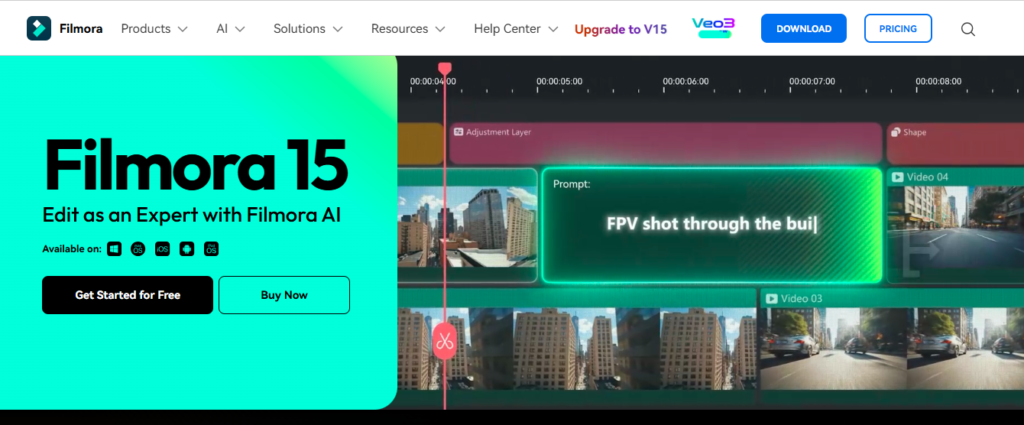
Filmora’s key selling point is its intuitive, drag-and-drop interface combined with a powerful library of effects, transitions, and audio tools. It’s built for the creator who values their time and wants to produce engaging content quickly.
Filmora Pricing
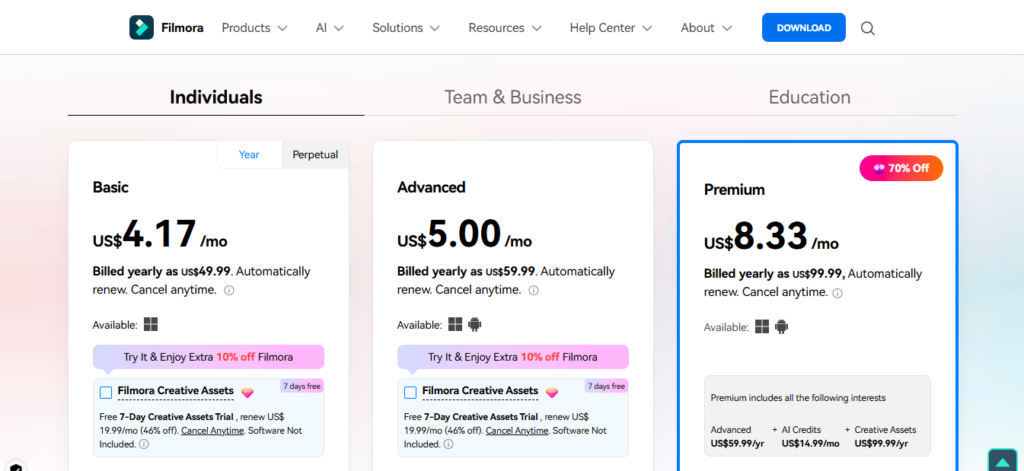
Filmora operates on a subscription model (with a one-time purchase option sometimes available). Here’s the breakdown:
Filmora Perpetual Plan (One-Time Fee): Pay once for the current version. You get lifetime use, but you won’t receive major version updates without paying an upgrade fee.
Free Plan: Offers basic functionality but adds a large, permanent watermark to all your exports. Good for trying out the interface.
Filmora Pro Plan (Annual Subscription): The most popular option. Removes the watermark, gives you access to all effects and the media library, and includes regular updates.
Filmora Pros and Cons
Pros:
- Extremely Easy to Learn: The learning curve is minimal.
- Affordable: Much cheaper than professional alternatives.
- Rich Template & Asset Library: Great for quickly creating trendy content.
- Regular Updates: Wondershare consistently adds new features and effects.
- Good Customer Support: Extensive tutorials and a responsive support team.
Cons:
Performance on Large Projects: Very complex projects with multiple high-resolution streams can sometimes slow down.
The Watermark: The free version’s watermark is intrusive, pushing you towards a paid plan.
Can Feel Limiting for Pros: Advanced color grading and audio mixing tools are less robust than in high-end software.
Key Features That Make Filmora Shine
Let’s break down the specific features that have made Filmora so popular.
1. User-Friendly Interface
The moment you open Filmora, you’ll notice a clean, logical layout. The media library is on the left, the preview window is on the top right, and the multi-track timeline is at the bottom. This minimizes confusion and lets you focus on being creative.
2. Massive Effects & Asset Library
This is where Filmora truly excels. You get access to a huge, ever-growing library of:
- Titles & Text: Animated lower thirds, opening titles, and end credits.
- Transitions: Seamless and creative ways to jump between clips.
- Effects: Filters, overlays, and AI-powered effects that can transform the look of your video.
- Elements & Stickers: Animated graphics to add flair to your projects.
- Audio: A library of royalty-free music and sound effects.
3. Powerful AI Tools
Filmora has integrated AI to automate complex tasks:
- AI Portrait: Automatically removes or stylizes the background behind a person.
- Audio Ducking: Automatically lowers background music when dialogue is detected.
- Speech-to-Text (STT): Automatically generates subtitles, saving you hours of manual typing.
- Text-to-Speech (TTS): Converts your written script into a voiceover.
4. Strong Performance & Export Options
Filmora is optimized for a smooth editing experience on moderately powerful computers. The export options are tailored for modern platforms, allowing you to directly publish to YouTube, Vimeo, and other social media sites in the ideal resolution and aspect ratio (including vertical 9:16 for TikTok/Reels).
…
Conclusion
In summary, Filmora successfully carves out its niche as a powerful yet accessible video editor. It is an ideal solution for beginners, social media creators, and anyone who needs to produce engaging content quickly without a steep learning curve. While professionals may find its advanced tools limited and the watermark in the free version is a clear push towards a paid plan, its strengths are undeniable. The massive effects library, intuitive interface, and helpful AI features offer exceptional value for the price. If your priority is a straightforward, feature-rich editor that simplifies the creative process, Filmora is an excellent choice that delivers on its promises.