
Introduction
Tired of juggling multiple inboxes, calendars, and apps? If you’re on Windows and searching for a unified hub to manage your digital communication, you’ve likely heard the name Mailbird.
But what is Mailbird really like to use? Is it a productivity powerhouse, or just another pretty interface? In this in-depth Mailbird review, we’ll cut through the noise. We’ll explore its features, break down the Mailbird price plans, and lay out all the pros and cons to help you decide if it’s the right email client for you

What is Mailbird?
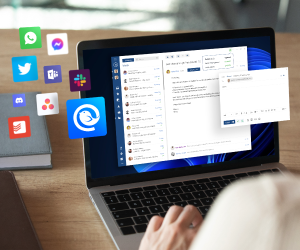
At its core, Mailbird is a sleek, user-friendly email client designed exclusively for Windows. It goes beyond just checking your email. Mailbird aims to be a central command center for your communication by integrating your email accounts (like Gmail, Outlook, Yahoo, etc.), calendar, and favorite apps like Slack, Asana, WhatsApp, and Google Calendar into one unified application.
The promise is simple: stop switching between dozens of tabs and programs, and get more done from a single, clean interface.
Mailbird Price: What Does It Cost?
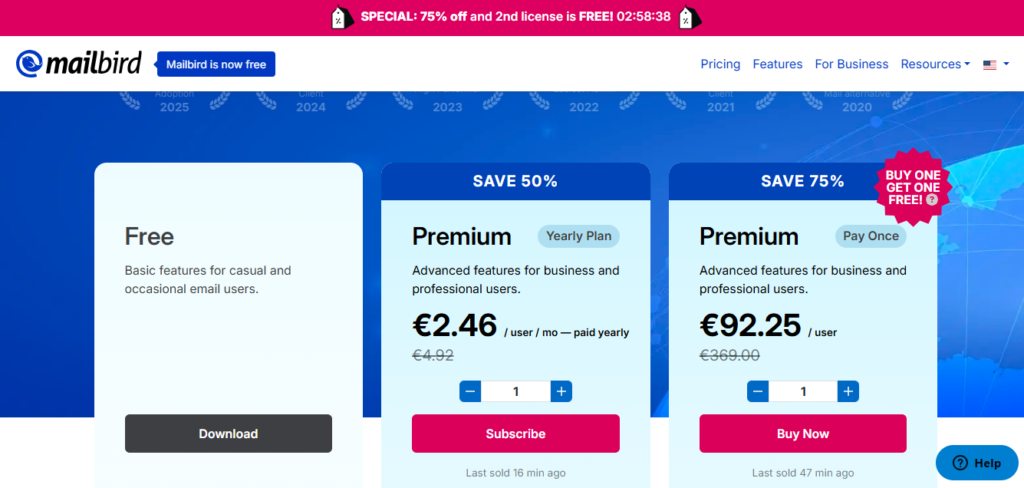
Before we dive into the features, let’s address the big question: what is the Mailbird price? Mailbird operates on a “freemium” model, but it’s important to understand the limitations.
Lifetime License: A one-time payment for lifetime access to Mailbird Pro. This is a popular choice for users who want to avoid recurring subscriptions.
Free Version: The free version of Mailbird is quite limited. It typically allows you to connect only one email account and may include a “Mailbird“ signature on your sent emails. It’s best used as a trial to test the basic interface.
Paid Versions: To unlock the full power of Mailbird, you need a paid subscription. They often offer two tiers:
Annual Subscription: Usually billed as a yearly payment. This is the most cost-effective option.
The Pros and Cons
The Pros: Why You Might Love Mailbird
After extensive testing, here are the standout advantages that make Mailbird a compelling choice.
Excellent Performance: Mailbird is built for speed. It’s generally lightweight and fast, with quick search functions and smooth performance, even with multiple accounts connected.
Unified Inbox & Multiple Account Support: The killer feature for many. You can link all your email accounts (Gmail, iCloud, Office 365, IMAP, etc.) and view all your messages in a single, unified inbox. No more logging in and out of different services.
Sleek, Customizable Interface: Mailbird is visually appealing. It’s clean, modern, and highly customizable. You can change layout colors, theme colors, and reading pane positions to create a workspace you enjoy.
Powerful App Integrations: This is where Mailbird truly shines. You can integrate dozens of popular apps directly into the sidebar. Check your Google Calendar, send a WhatsApp message, or see your Asana tasks without ever leaving your inbox.
Speed Reader & Email Snooze: Unique productivity features like the Speed Reader (which helps you read emails faster using RSVP) and the ability to Snooze emails to return at a more appropriate time are huge time-savers.
The Cons
- Windows Only: This is the biggest limitation. If you use macOS or Linux, Mailbird is not an option for you.
- Limited Free Version: The free tier is very restrictive, essentially pushing most serious users toward a paid plan. You can’t truly experience the core features without paying.
- No Built-in Calendar (for some): While Mailbird integrates beautifully with Google Calendar and others, it lacks a powerful, native calendar of its own. If you need to manage complex events without an internet connection to a service like Google, this could be a downside.
- Occasional Sync Bugs: Some users report occasional synchronization issues with specific email providers, where emails might not appear immediately or sent items don’t sync perfectly. These are usually resolved with updates but can be frustrating.

…
Conclusion.
Mailbird is an excellent choice for:
- Windows users with multiple email accounts who want a unified, clean inbox.
- Productivity seekers who heavily rely on other apps like Slack, Calendars, and task managers and want them integrated into one place.
- Those who value design and want a highly customizable and visually pleasing email experience.
You might want to look elsewhere if:
- You are a Mac or Linux user.
- You need a powerful, native desktop calendar.
- You are looking for a fully-featured free email client.
Final Word: Mailbird successfully delivers on its promise of being a fast, integrated, and beautiful communication hub for Windows. While the lack of a robust free version and platform exclusivity are its main weaknesses, its core features are powerful and can significantly boost productivity. If the Mailbird price for a paid plan fits your budget and you’re on Windows, it is absolutely worth trying out.